> For the complete documentation index, see [llms.txt](https://huongdan.aiva.vn/llms.txt). Markdown versions of documentation pages are available by appending `.md` to page URLs; this page is available as [Markdown](https://huongdan.aiva.vn/gioi-thieu/6.-tai-lieu-hoc-tap/cach-phuc-che-anh-cu-tren-aiva.md).
# Cách phục chế ảnh cũ trên AIVA
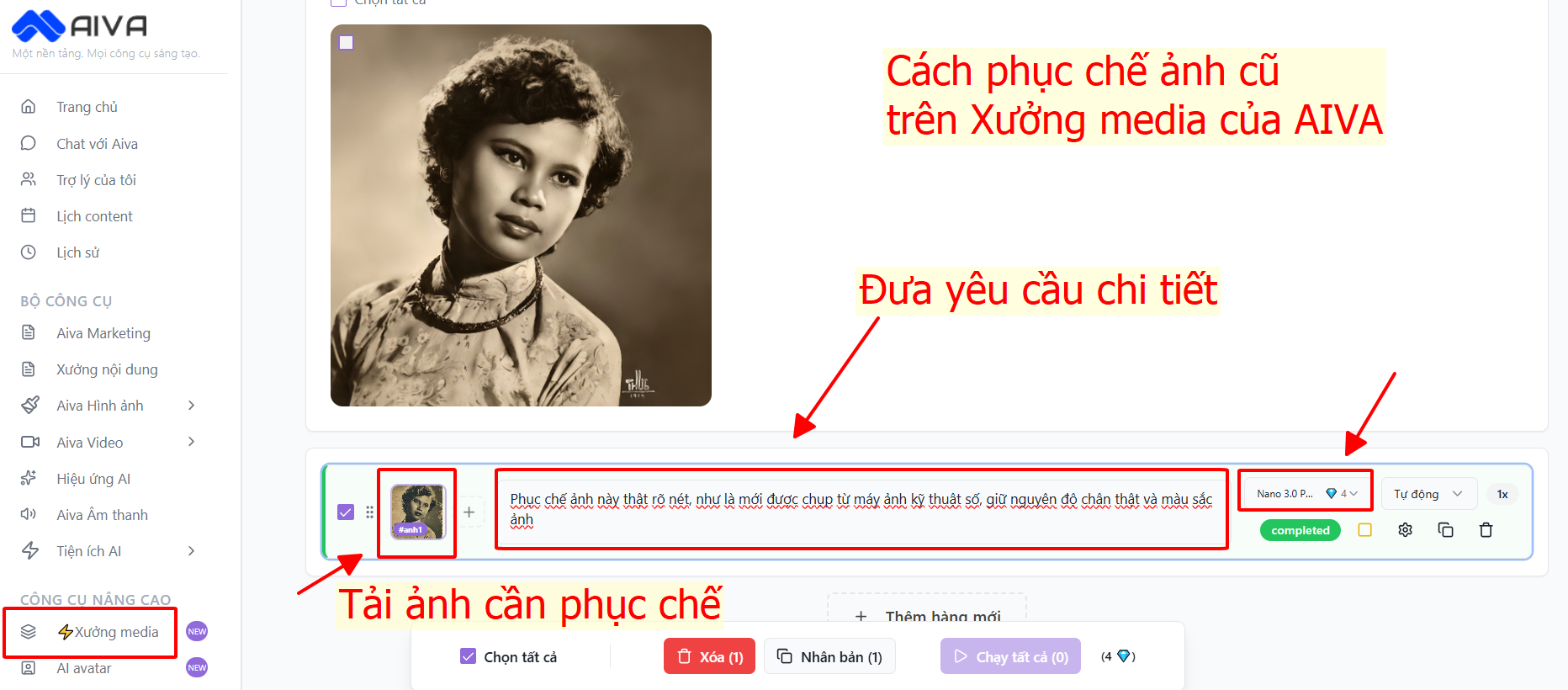
Cách phục chế ảnh cũ tại Xưởng media trên AIVA
Các bước phục chế ảnh cũ trên AIVA:
Bước 1: Vào Xưởng media trên AIVA
Bước 2: Tải ảnh cần phục chế lên
Bước 3: Yêu cầu chi tiết (Tham khảo câu lệnh: "Phục chế ảnh này thật rõ nét, như là mới được chụp từ máy ảnh kỹ thuật số, giữ nguyên độ chân thật và màu sắc ảnh")
Bước 4: Chọn mô hình Nano Banana
Bước 5: Bấm Chạy tất cả
Đợi 1 lát và nhận kết quả ảnh rõ nét bạn nhé
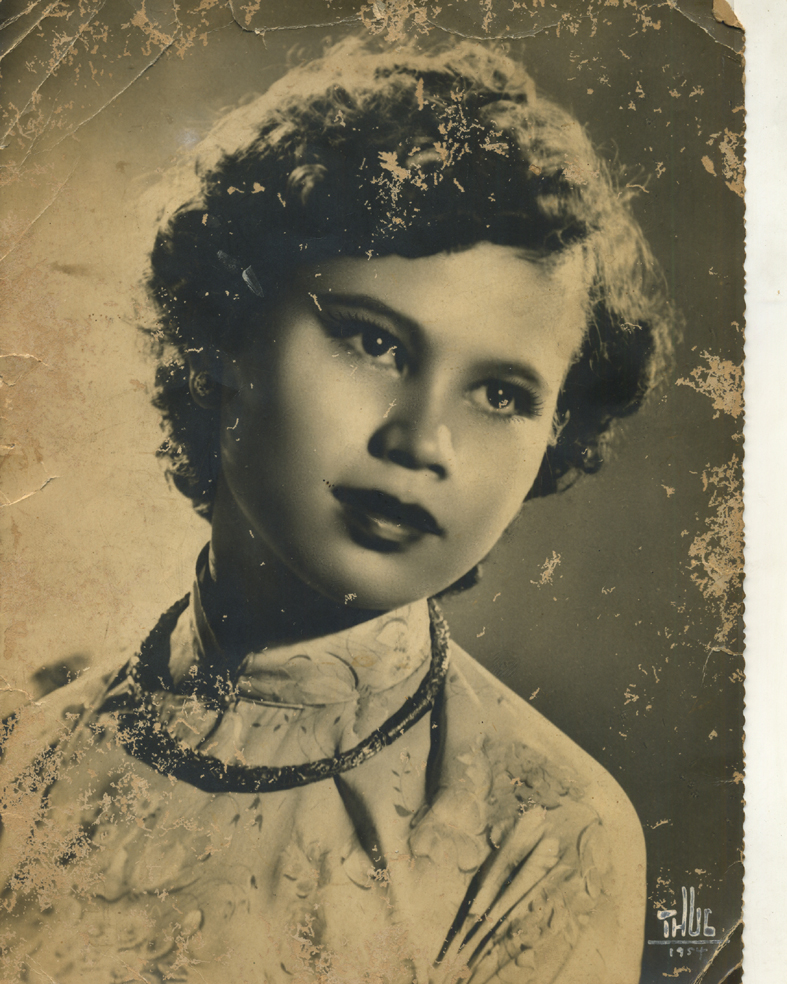
Ví dụ:
Ảnh cần phục chế
Ảnh được phục chế trên Xưởng media của AIVA
.png?alt=media&token=6cb79913-9168-454b-9fc1-b006b36ab238)