# 1. Cách tạo trợ lý riêng trên AIVA

**Bước 1: Vào phần Trợ lý của tôi/ Tạo trợ lý**

<figure><img src="/files/L9kvIB1QiRwUzRfGaYNE" alt=""><figcaption></figcaption></figure>

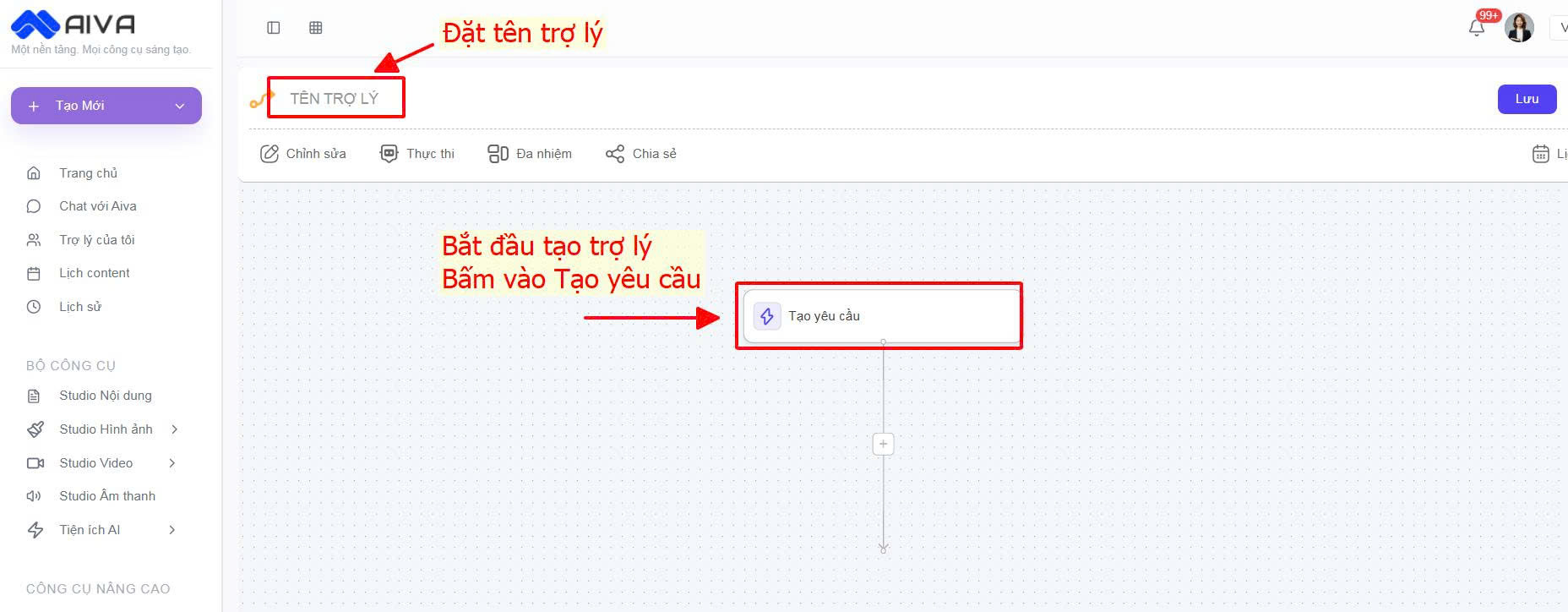
**Bước 2: Tạo yêu cầu cho trợ lý**

<figure><img src="/files/O8mC9glWhLM1wusYCs8U" alt=""><figcaption></figcaption></figure>

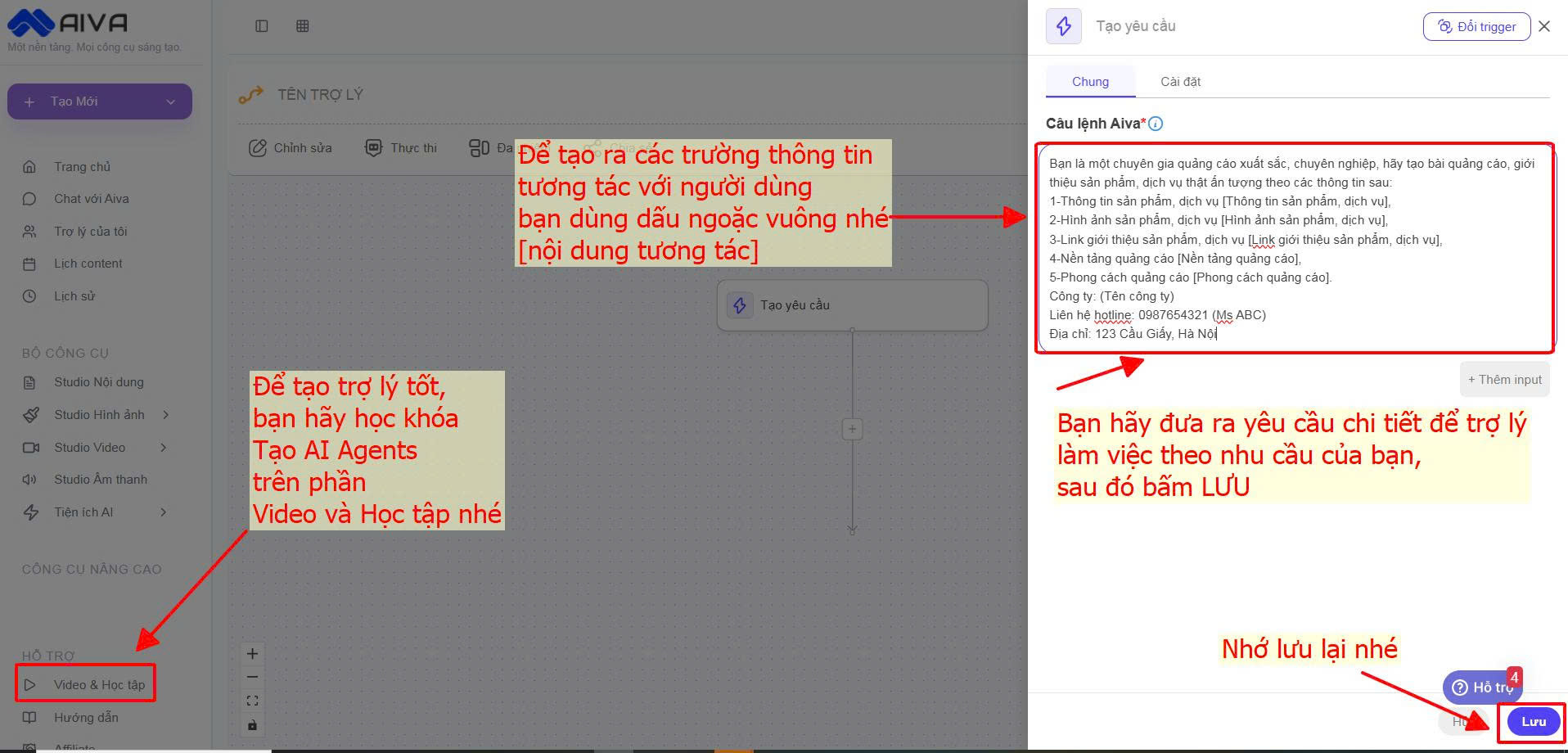
**Bước 3: Nhập thông tin, yêu cầu chi tiết cho trợ lý**

<figure><img src="/files/JfiZaAAoKRcbgNsW0b7B" alt=""><figcaption></figcaption></figure>

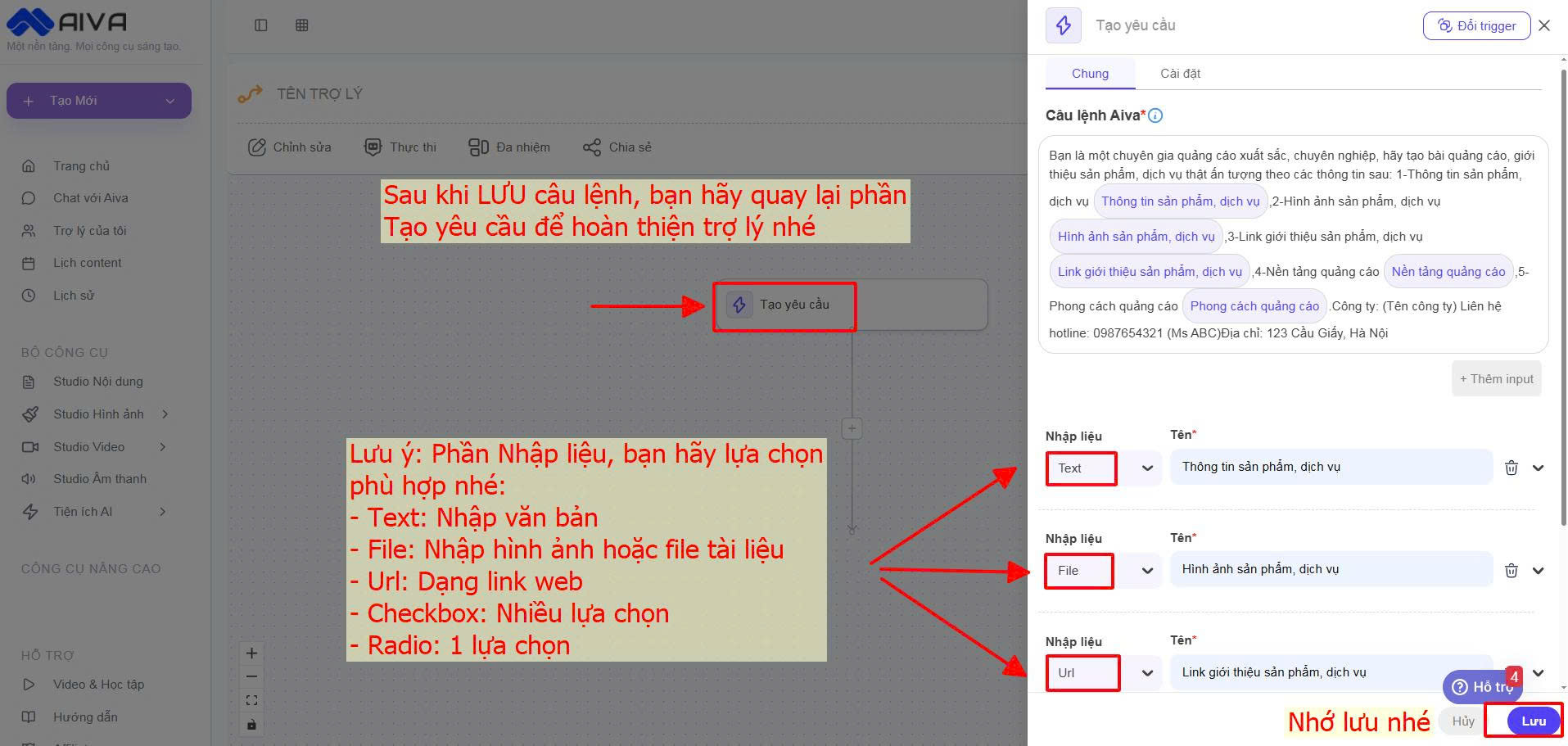
**Bước 4: Hoàn thiện trợ lý**

<figure><img src="/files/SvQ86eJPVKwbU2BVpWgz" alt=""><figcaption></figcaption></figure>

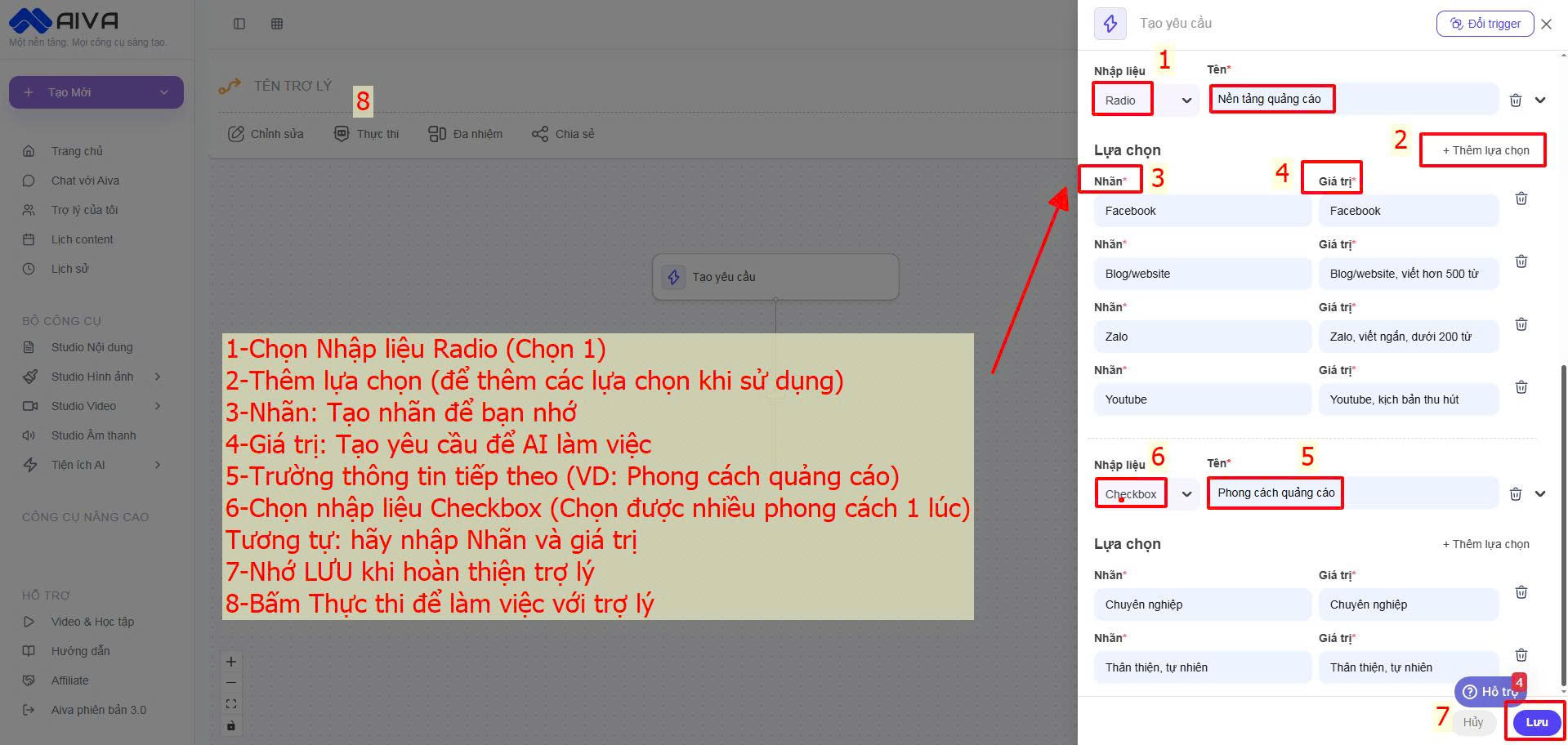
**Bước 5: Hoàn thiện trợ lý**

<figure><img src="/files/a01dvJTmx52mYMbjDeAf" alt=""><figcaption></figcaption></figure>

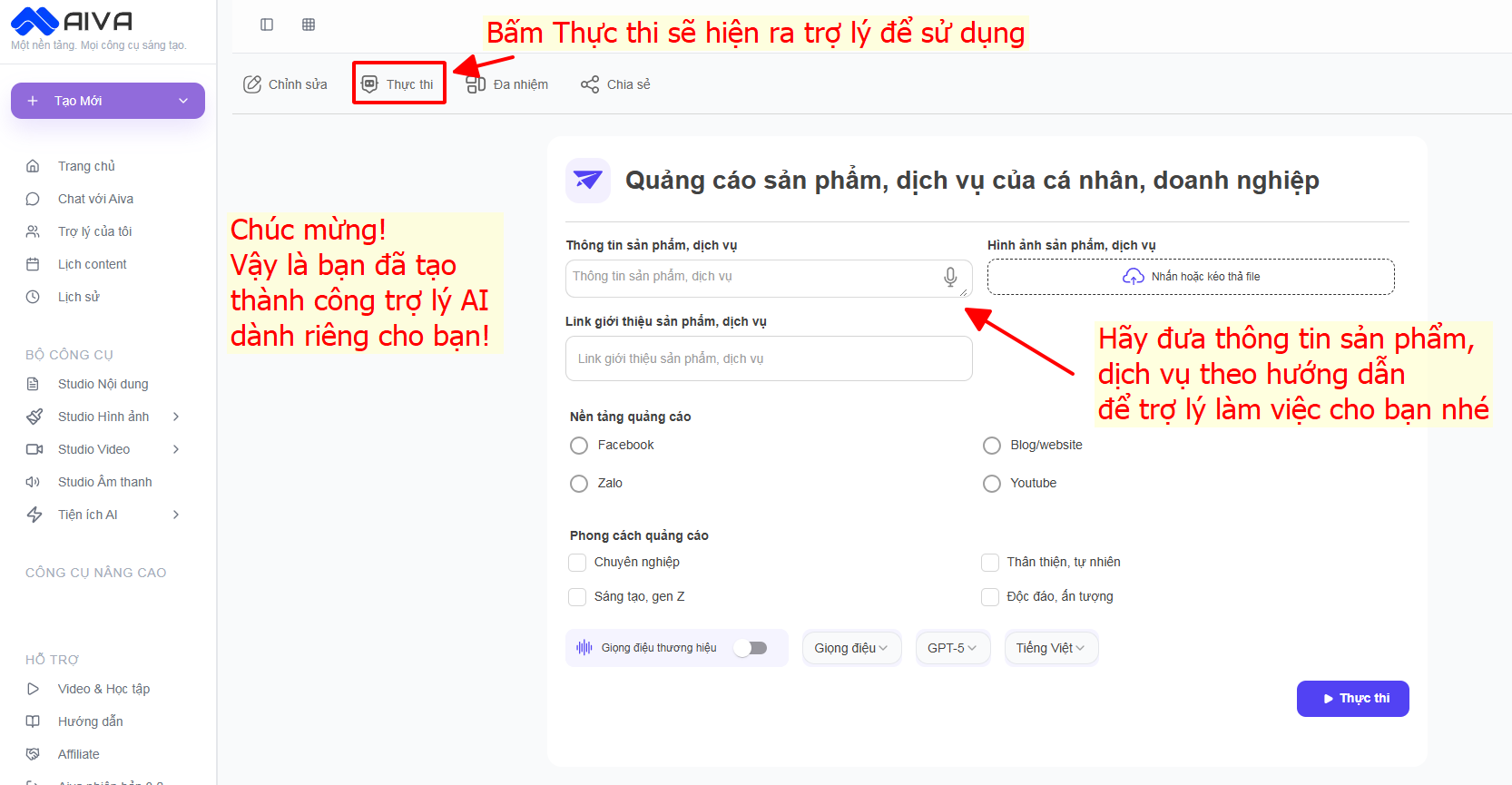
**Bước 6: Thực thi để làm việc với trợ lý**&#x20;

<figure><img src="/files/mwV2EeH1EB2CrWDxI4ge" alt=""><figcaption></figcaption></figure>

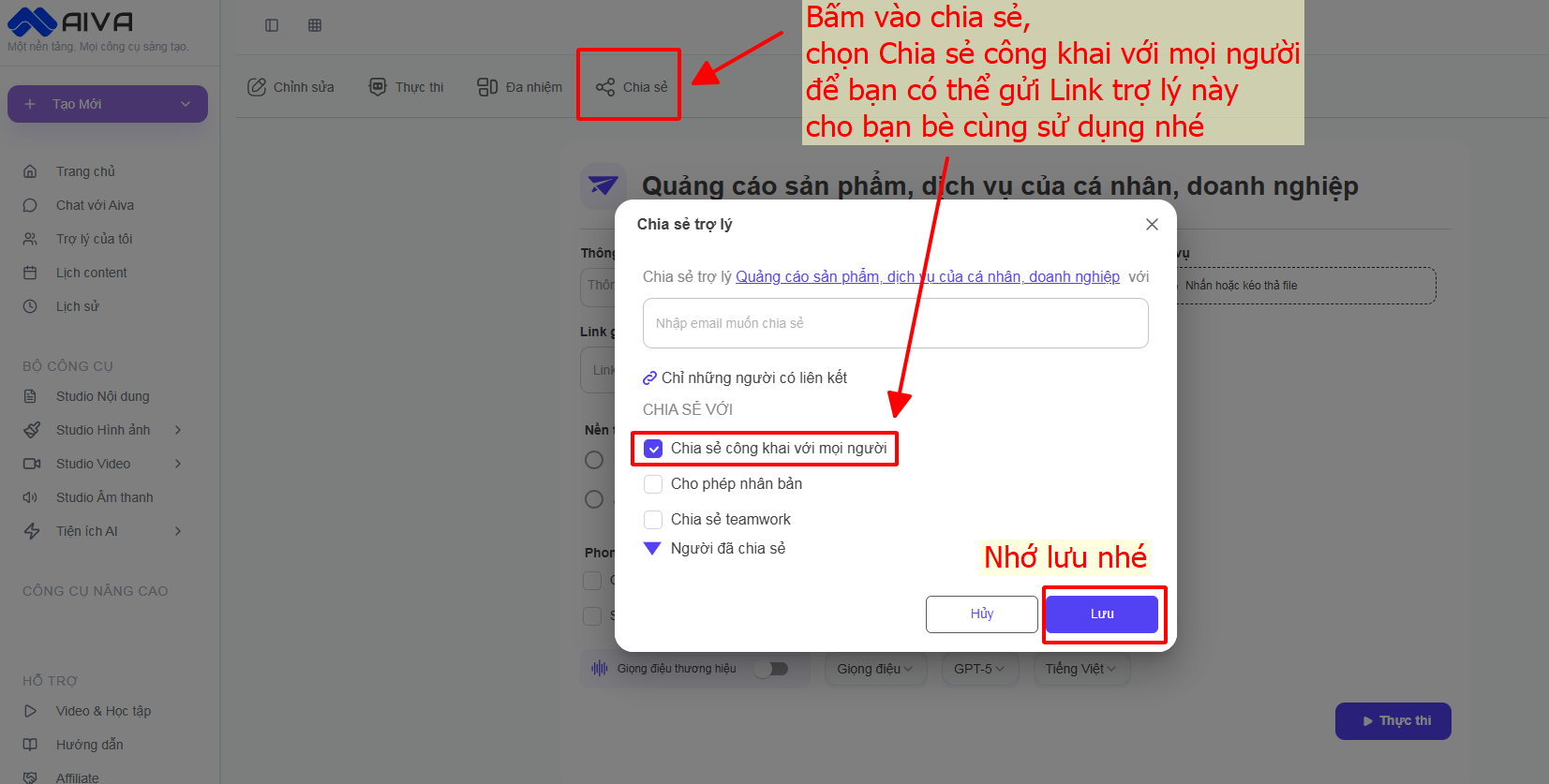
**Bước 7: Chia sẻ trợ lý cho đội nhóm, bạn bè cùng sử dụng**

<figure><img src="/files/IwsNinchhgNDxeO6uRbE" alt=""><figcaption></figcaption></figure>

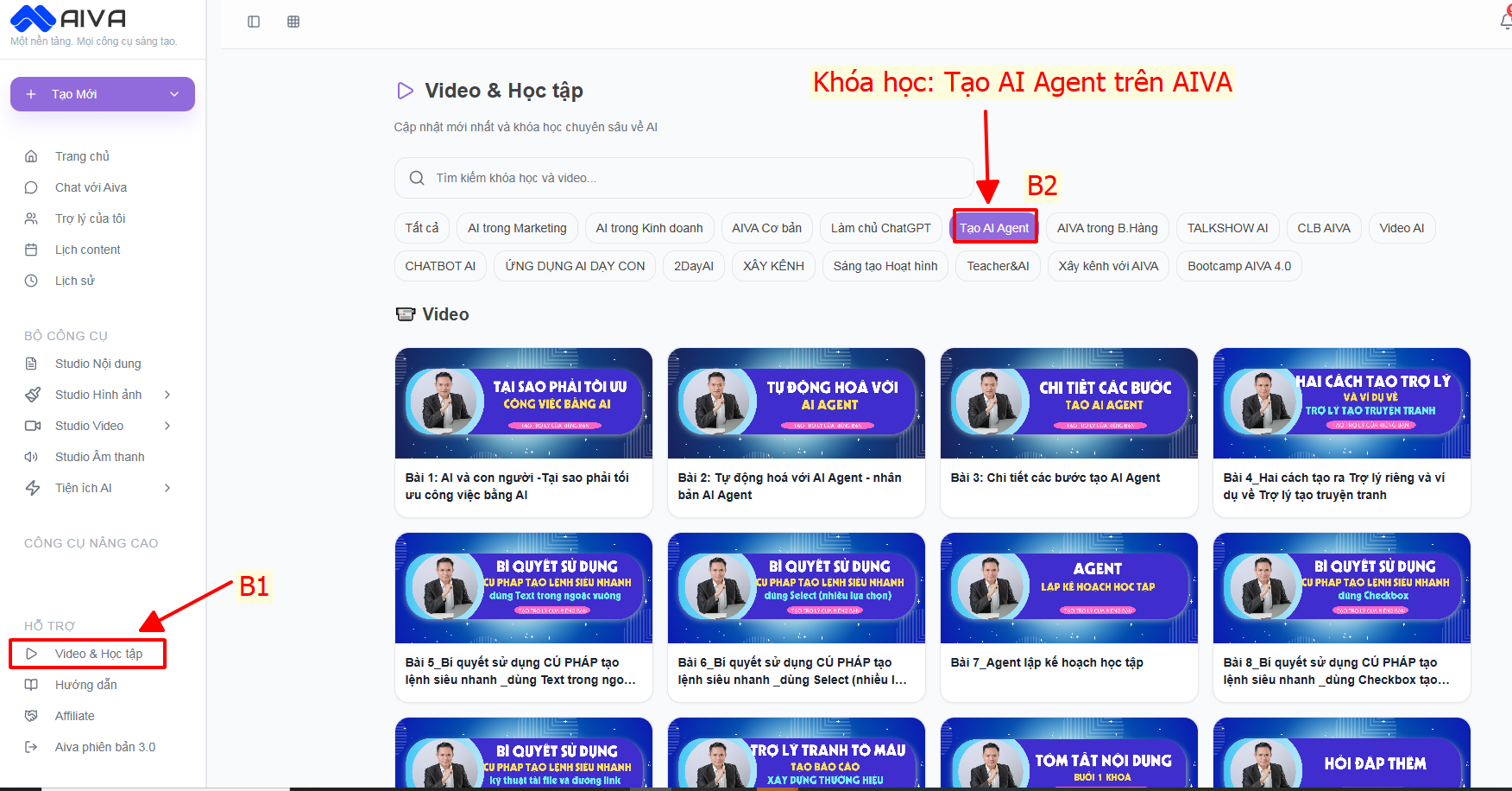
**Để hiểu hơn về cách tạo trợ lý, bạn hãy xem các video hướng dẫn trên Khóa học Tạo AI Agents trên AIVA:** [**https://app.aiva.vn/course?page=1\&limit=100\&c=19**](https://app.aiva.vn/course?page=1\&limit=100\&c=19)&#x20;

<figure><img src="/files/uWLvAjIawAvPrWaYrjiC" alt=""><figcaption></figcaption></figure>

**Video hướng dẫn:**&#x20;

{% embed url="<https://www.youtube.com/watch?v=UNRPfWbtwiQ>" %}

**Video chị Diễm Phương thực hành tạo trợ lý riêng:**&#x20;

{% embed url="<https://www.youtube.com/watch?v=SXQpJZvMfrA>" %}


---

# Agent Instructions: Querying This Documentation

If you need additional information that is not directly available in this page, you can query the documentation dynamically by asking a question.

Perform an HTTP GET request on the current page URL with the `ask` query parameter:

```
GET https://huongdan.aiva.vn/gioi-thieu/3.-tro-ly-ai-thong-minh/1.-cach-tao-tro-ly-rieng-tren-aiva.md?ask=<question>
```

The question should be specific, self-contained, and written in natural language.
The response will contain a direct answer to the question and relevant excerpts and sources from the documentation.

Use this mechanism when the answer is not explicitly present in the current page, you need clarification or additional context, or you want to retrieve related documentation sections.