> For the complete documentation index, see [llms.txt](https://huongdan.aiva.vn/llms.txt). Markdown versions of documentation pages are available by appending `.md` to page URLs; this page is available as [Markdown](https://huongdan.aiva.vn/gioi-thieu/2.-video-huong-dan-aiva/2.3-aiva-hinh-anh/video-2-tao-anh-nhan-vat-hoat-hinh-dong-nhat.md).
# Video 2: Tạo ảnh nhân vật hoạt hình đồng nhất
Cách tạo bộ ảnh nhân vật hoạt hình đồng nhất nhanh chóng với tính năng tạo ảnh hàng loạt
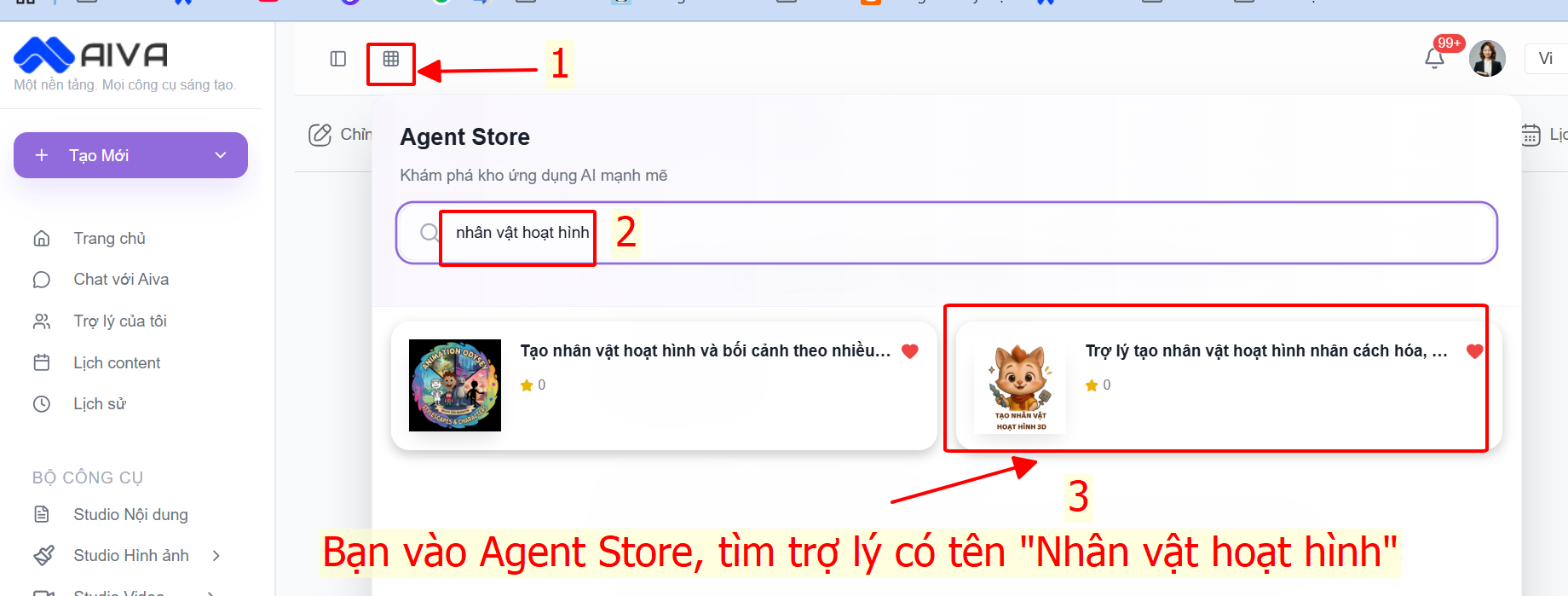
Bắt đầu: Bạn vào phần Agent Store trên AIVA, tìm trợ lý có tên là "Nhân vật hoạt hình"
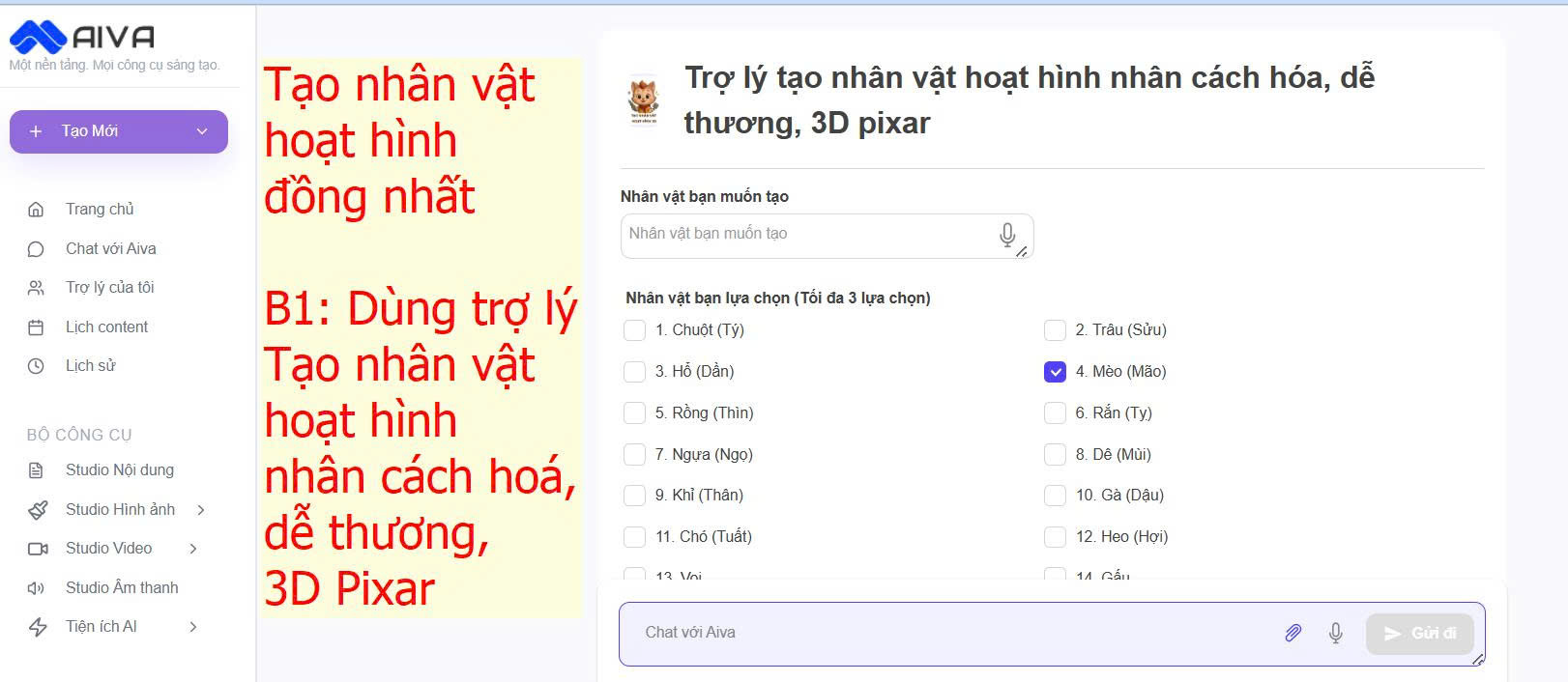
B1: Tạo nhân vật theo ý tưởng của bạn hoặc theo gợi ý của trợ lý
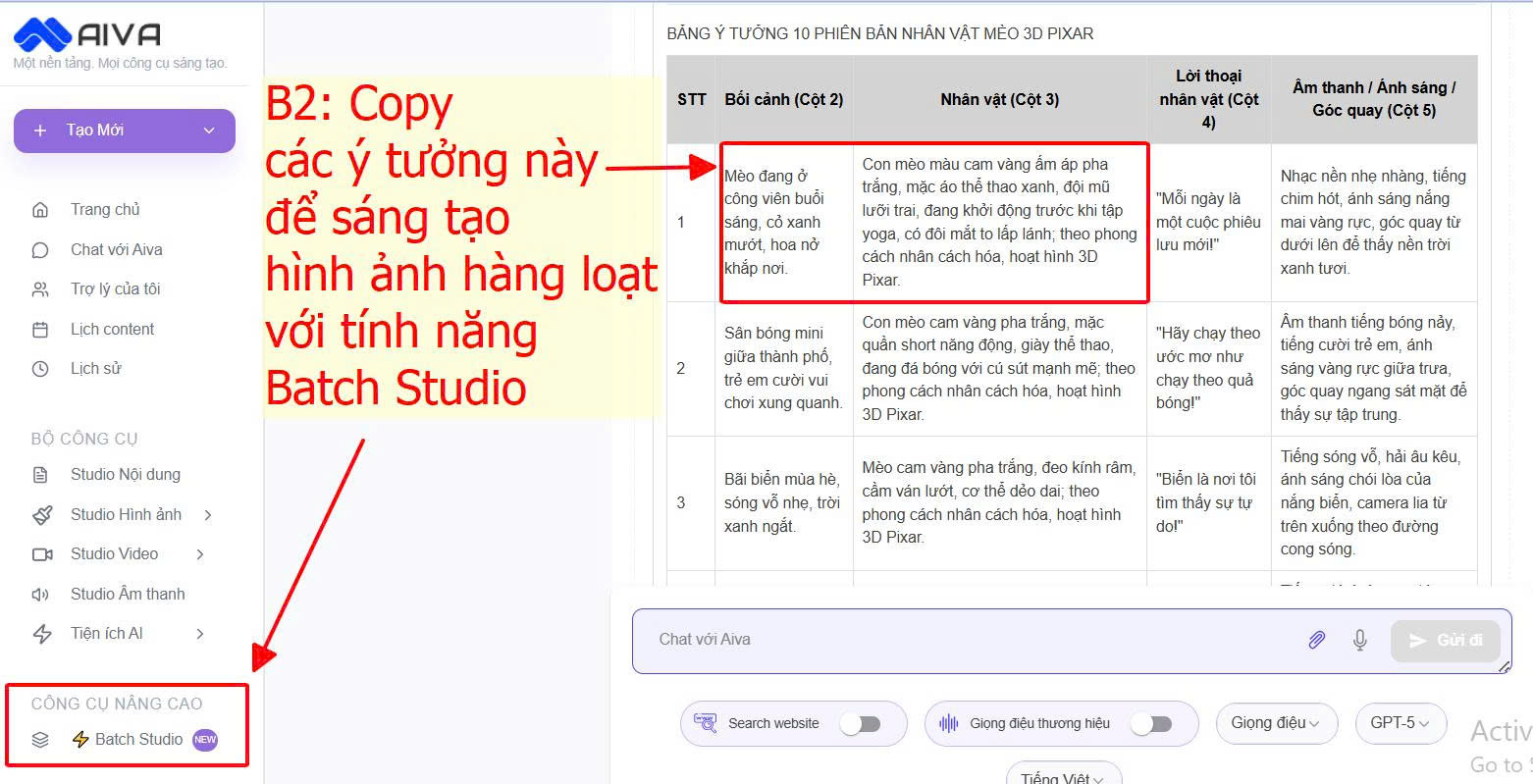
Bước 2: Copy các ý tưởng miêu tả nhân vật ở phần kết quả vào tính năng Tạo hàng loạt trên AIVA (Batch Studio)
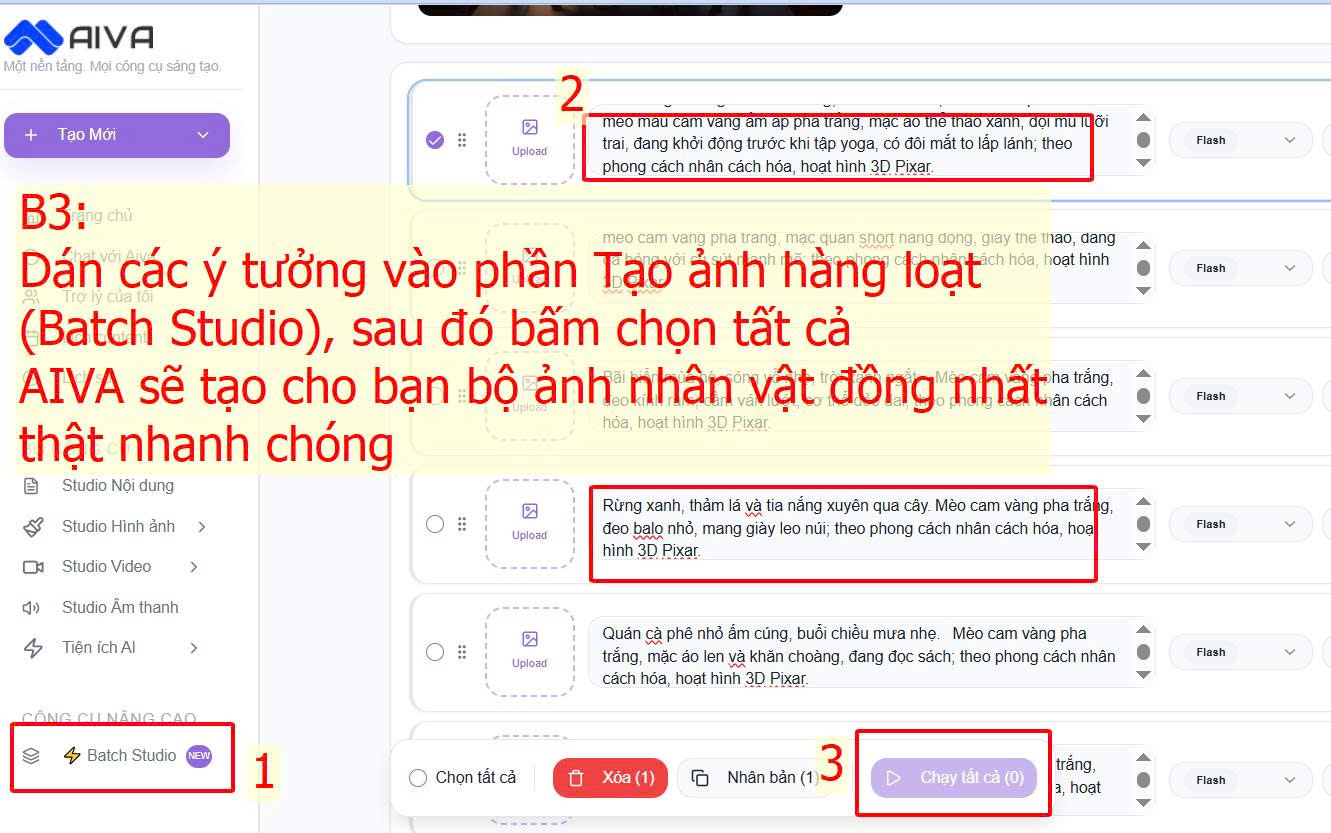
Bước 3: Dán các ý tưởng miêu tả hình ảnh nhân vật vào phần Tạo ảnh Hàng loạt (Batch Studio), sau đó bấm CHẠY TẤT CẢ, và đợi 1 chút nhé.
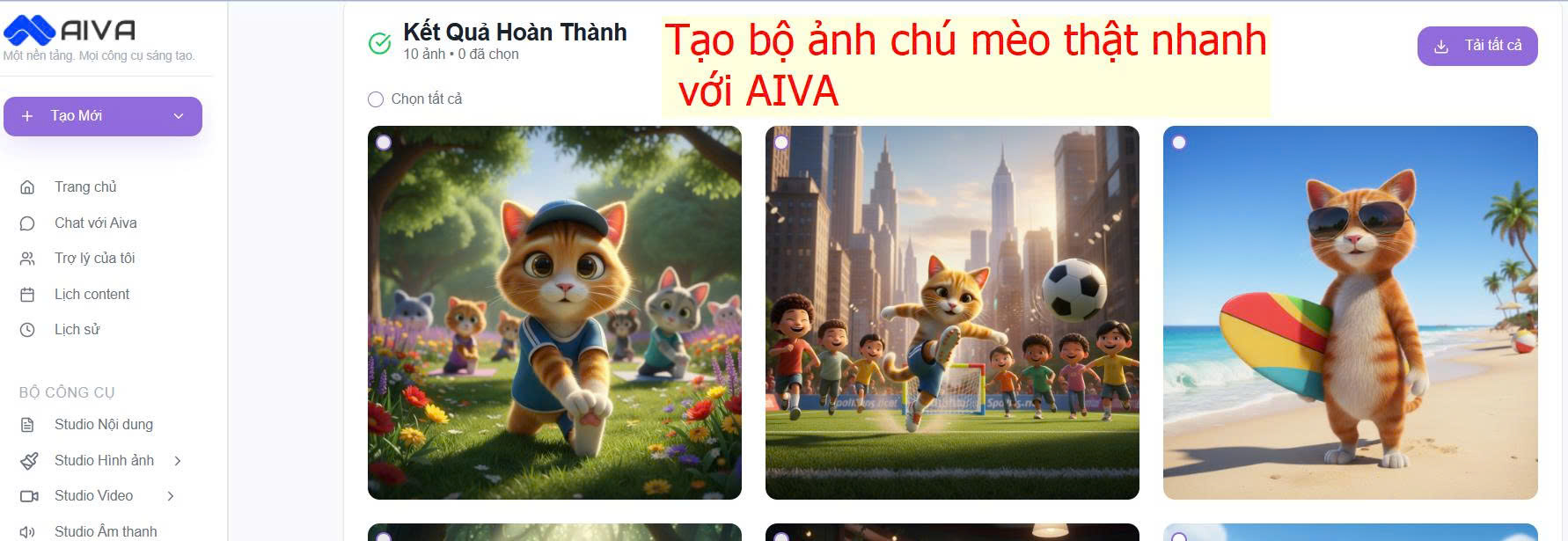
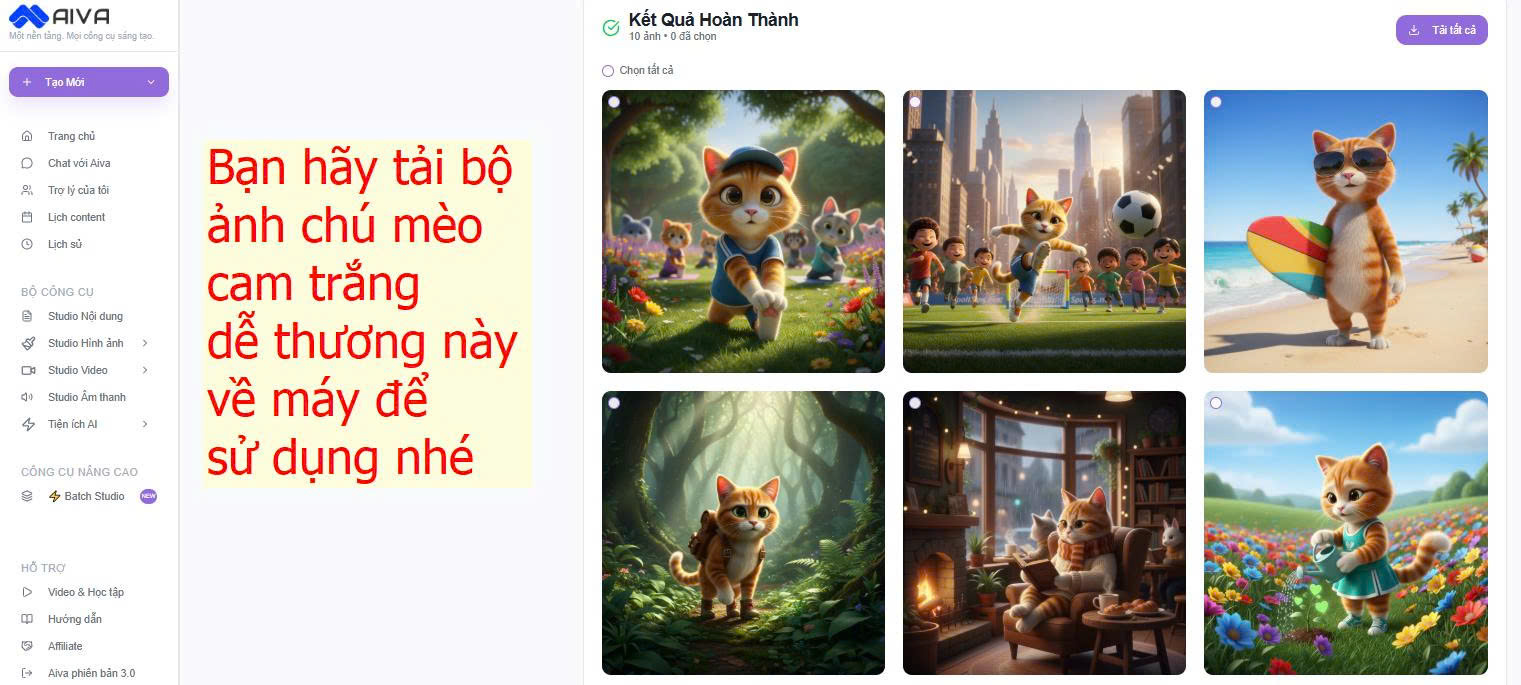
Bước 4: AIVA đã tạo hàng loạt nhân vật hoạt hình đồng nhất, dễ thương cho bạn rồi! Hãy tải về máy để sử dụng nhé
**Video hướng dẫn: Ứng dụng AI sáng tạo truyện tranh hoạt hình 3D**
{% embed url="" %}